
Using Demand Score
Demand Score is a 1-100 value assigned to each user by Superwall, indicating their likelihood to convert. Use it to understand your audience and target users with the right offers.
Demand Score helps you understand how likely each user is to convert, so you can target the right people with the right offers. To view it, click Demand Score in the sidebar:
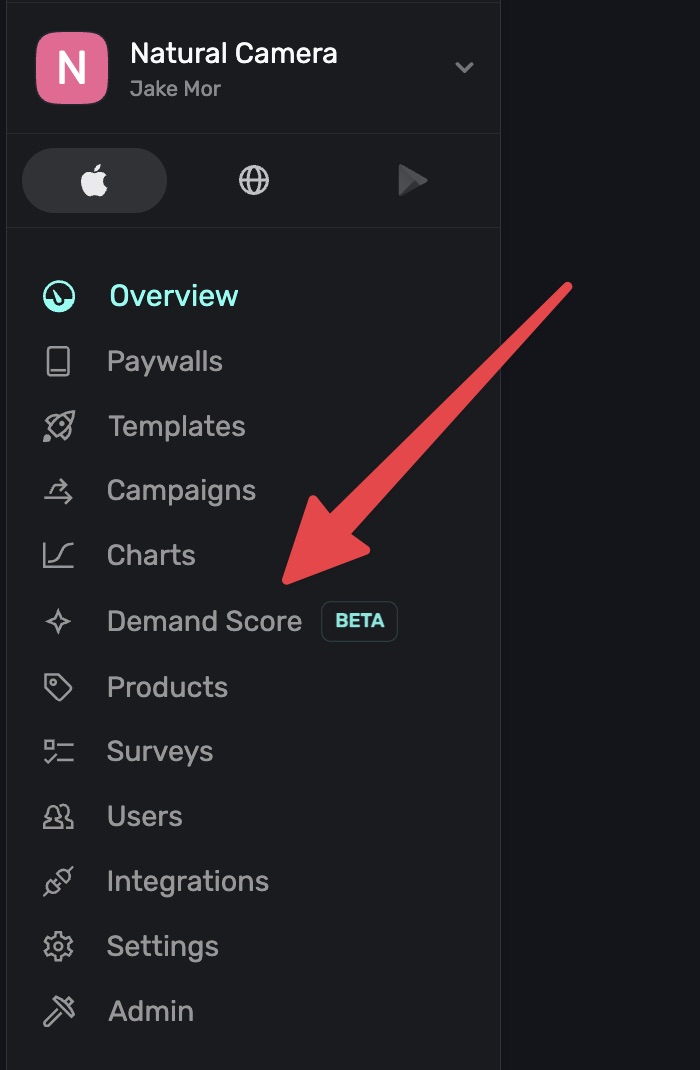
Demand Score is currently in beta. Anyone can view Demand Score insights, but using it to target audiences in campaigns requires the Scale plan.
What is Demand Score?
Demand Score is a number from 1 to 100 assigned to each user by Superwall on every app open. A higher score means the user is more likely to convert. It's generated using several signals and data points, though no first-party user attributes are used.
Some signals used include device model, OS version, device age, App Store country, connection type, number of app opens, and paywall views. The model is trained on hundreds of millions of real-world data points across the Superwall network. You can use demand score a few different ways:
- View interactive charts that show how conversion rate, volume, and trial outcomes vary across demand score buckets.
- Break down performance by placement and country to see where your offerings resonate and where they don't.
- Generate an AI-powered analysis that highlights key patterns in your data and recommends experiments to run.
- Filter campaign audiences using
demandScoreto target users based on their likelihood to convert. - Launch experiments directly from the Demand Score page to create high-intent audiences with one click.
Because Demand Score relies on device-level signals and not user attributes, it works out of the box. There's nothing to configure in the SDK.
Data thresholds
If your app is new, doesn't have enough paywall activity yet, or enough data processed, the Demand Score page will display empty results:
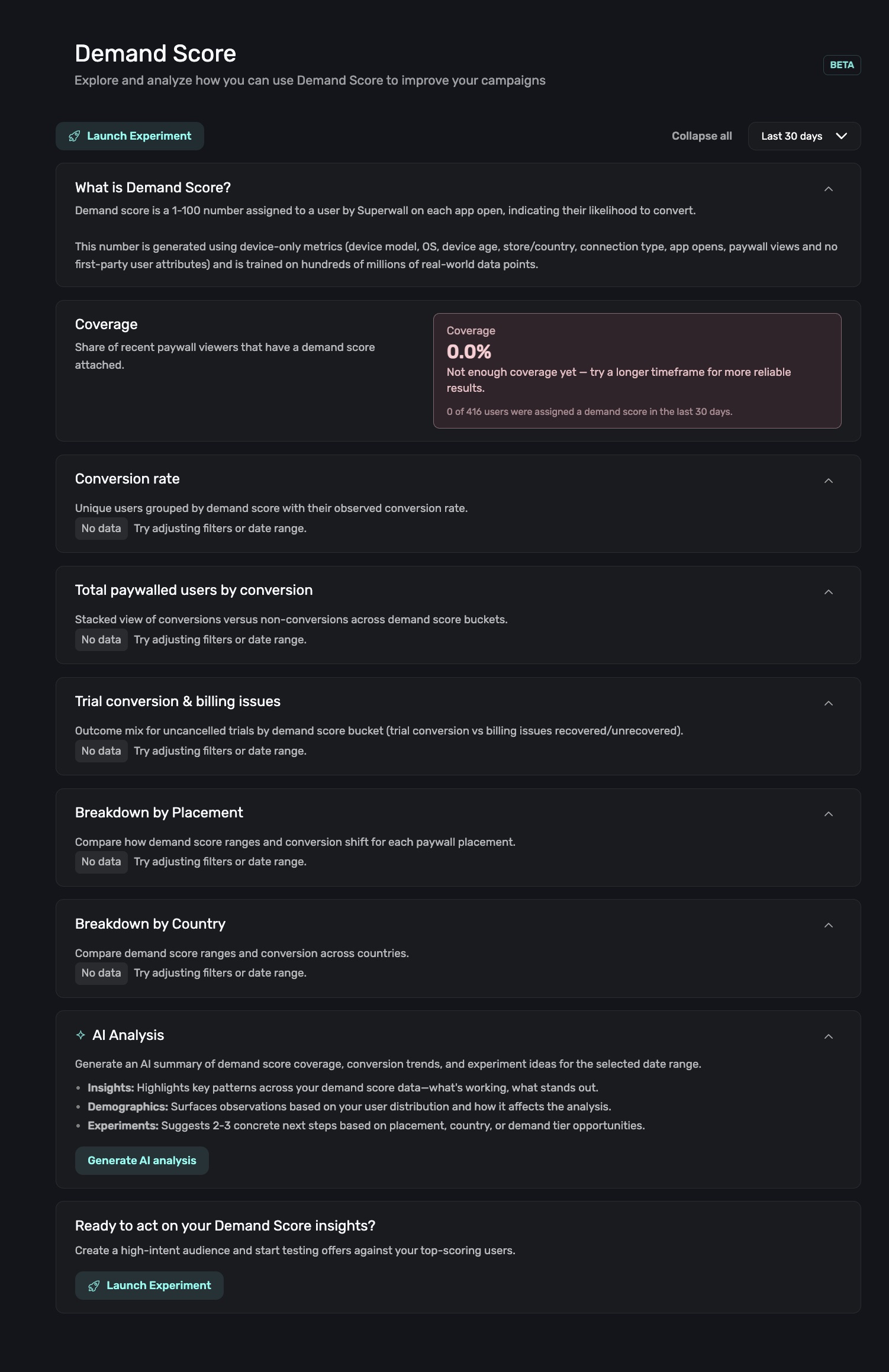
This happens when Superwall hasn't observed enough user sessions to generate reliable demand scores for your app. The model needs a baseline of app opens and paywall views across your user base before it can assign scores.
No action is needed on your end. As users interact with your app and encounter paywalls, Superwall will automatically begin assigning demand scores and the charts will populate.
You can also try expanding the date range to Last 90 days or Last 180 days to capture a wider window of activity.
Coverage
At the top of the Demand Score page, the Coverage card shows what percentage of your recent paywall viewers have been assigned a demand score:
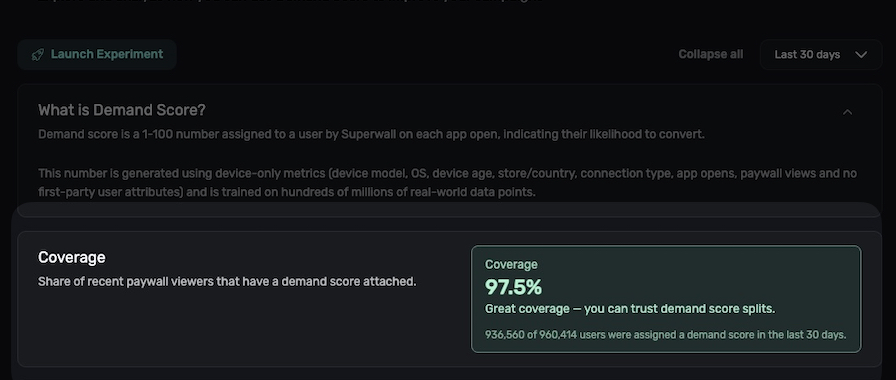
Coverage is color-coded to help you quickly assess data reliability:
| Coverage | Indicator | Meaning |
|---|---|---|
| Above 80% | Green | Great, you can confidently segment and run demand-score-based audiences. |
| 50–80% | Yellow | OK, results are usable but may have gaps. |
| Below 50% | Red | Low, try selecting a longer date range for more reliable results. |
Selecting a date range
Use the date range selector in the top-right corner to adjust the time window for all charts and breakdowns on the page. Options include Last 7 days, Last 30 days, Last 90 days, and Last 180 days:
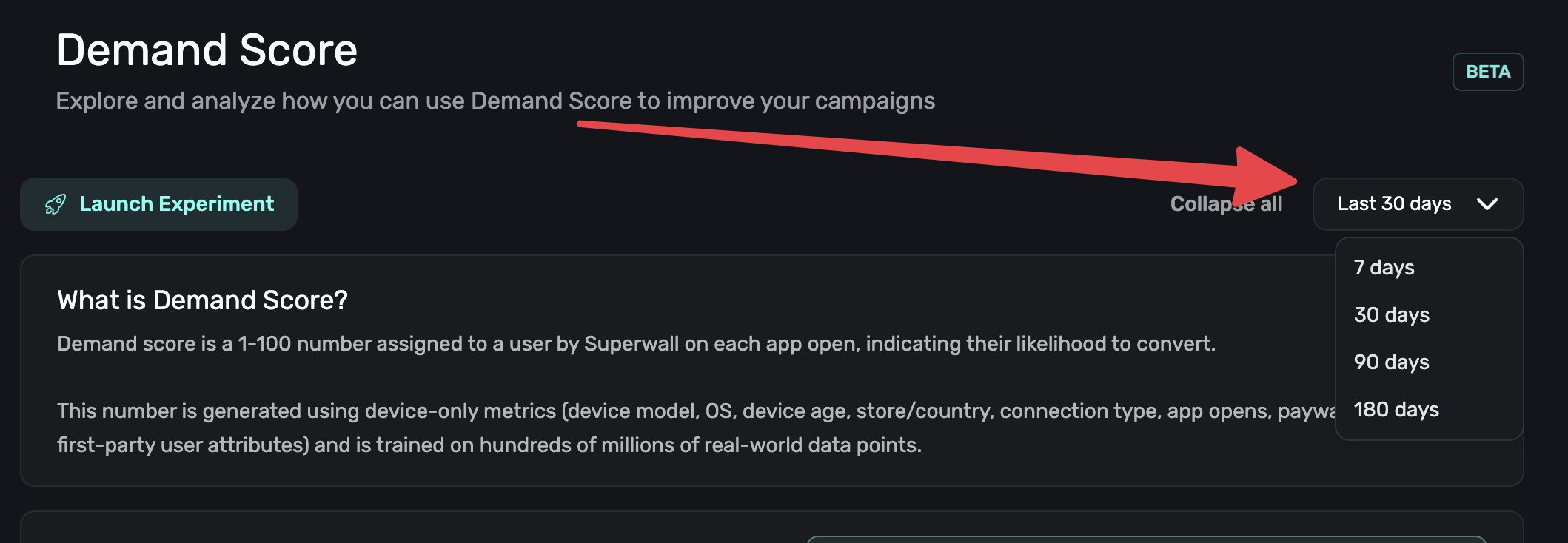
All sections on the page (coverage, charts, breakdowns, and AI analysis) update to reflect the selected range.
Using Demand Score for targeting
The demandScore attribute (a number from 1 to 100) is available as an audience filter in campaigns. Rather than using fixed tiers, use the charts on this page to understand where natural breakpoints exist in your own data, then create custom score ranges that match your app's audience.
For example, if the Conversion Rate chart shows a clear jump at score 70, you might target 70–100 as your "high intent" range. Every app's distribution is different, so let your data guide the ranges you choose.
For details on setting up demand score filters, see Using Demand Score in Campaigns.
How is this guide?
Edit on GitHubCharts
View charts detailing important metrics about your app's subscription performance, paywalls and more.
Understanding Demand Score Insights
Learn how to read and interpret the charts and breakdowns on the Demand Score page, including conversion rates, volume, trial outcomes, and per-placement and per-country analysis.