
Using Demand Score in Campaigns
Learn how to create audiences based on demand score ranges to run targeted experiments and improve conversion.
Once you understand your demand score distribution, you can act on it by creating targeted audiences in your campaigns. Superwall provides a quick-start flow and manual options for building demand-score-based experiments.
Using Demand Score in campaign audience filters requires the Scale plan. Viewing Demand Score insights is available on all plans.
Launching an experiment from Demand Score
The fastest way to get started is the Launch Experiment button at the bottom of the Demand Score page:
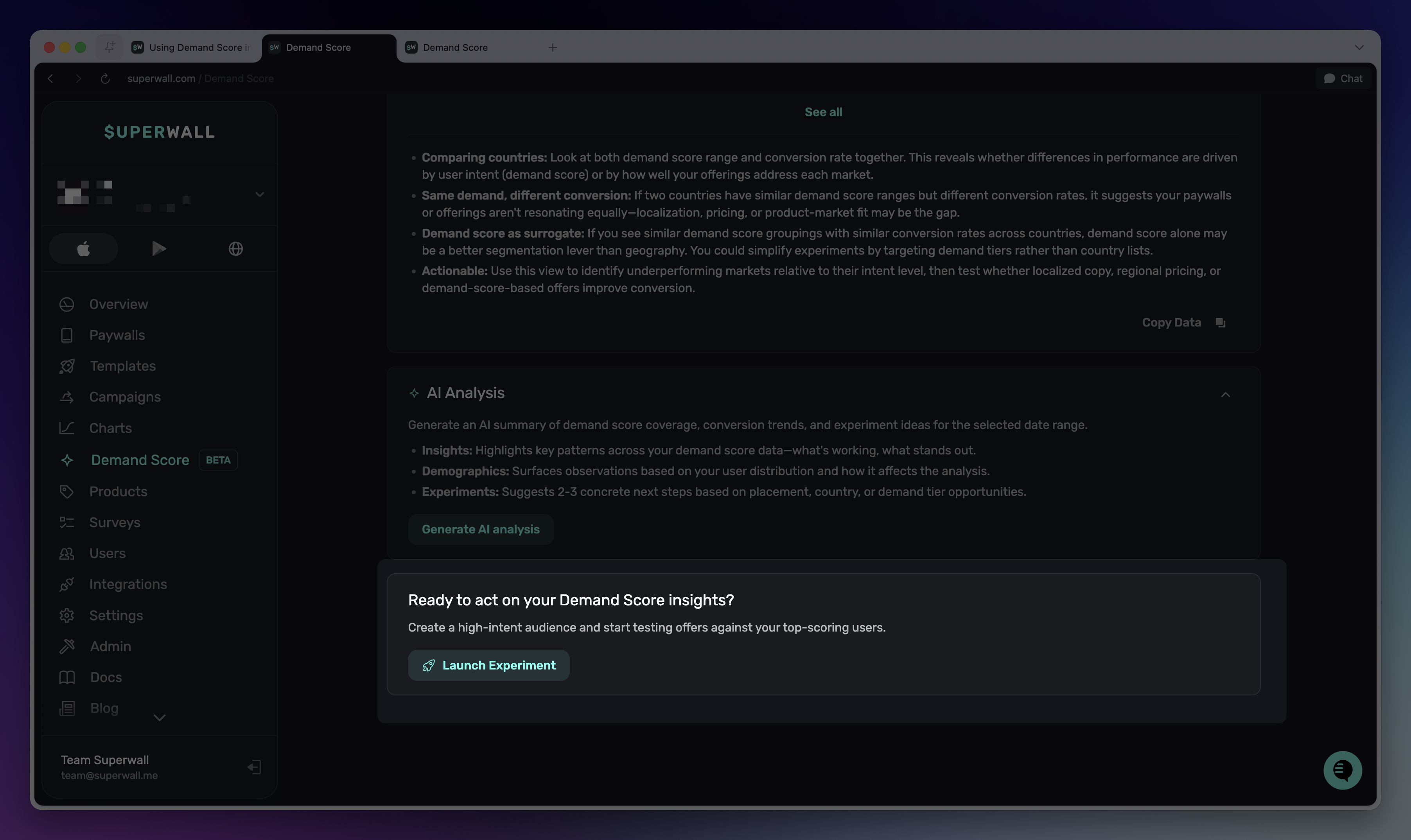
When you click it, Superwall handles the setup automatically:
- If you have no campaigns, Superwall creates a new one called "Demand Score Campaign."
- If you have one campaign, Superwall uses it directly.
- If you have multiple campaigns, a dropdown appears so you can choose which campaign to use.
Superwall then creates a new audience named "Demand Score 80-100" with the filter rule demandScore >= 80 AND demandScore <= 100. The audience starts disabled so you can configure your paywall and settings before going live.
You'll be taken to the campaign page with the new audience ready for configuration. From there, you can attach paywalls, adjust the score range, and enable the audience when ready.
Creating a custom demand score audience
You can also build demand score audiences manually in any campaign. This gives you full control over the score ranges and combinations:
- Navigate to your campaign and click to add a new audience.
- In the audience filter settings, add a filter using the
demandScoreproperty. - Set the operator and value to define your target range.
For example, to target mid-intent users:
demandScoreis greater than or equal to40- AND
demandScoreis less than or equal to79
You can combine demand score filters with any other audience filters (country, platform, app version, etc.) to create precise segments.
For full details on audience configuration, see Audiences.
Choosing your score ranges
Every app's demand score distribution is different. Rather than using fixed tiers, use the Demand Score charts to find natural breakpoints in your own data. Look for where conversion rate jumps or where user volume is concentrated, then define ranges that match your audience.
For example, if the Conversion Rate chart shows a clear uplift starting at score 65, you might define:
- High intent: 65–100
- Mid intent: 30–64
- Low intent: 1–29
The right ranges depend on your app. Start with what the charts show you, run an experiment, and refine from there.
Experiment strategies
Here are a few approaches to get started with demand score experiments:
Target high-intent users with premium offers
Create an audience for your highest-scoring users and show them your strongest paywall with premium pricing, annual plans emphasized, and minimal distractions. These users are already likely to convert, so reduce friction and let your best offer do the work.
Use softer approaches for lower intent
For lower-scoring users, consider delaying the paywall, offering a free trial with a longer duration, or using introductory pricing. These users may need more time to see value before committing.
A/B test by score range
Run parallel experiments where different score ranges see different paywalls. For example:
- High-scoring users see a direct purchase paywall with annual pricing.
- Lower-scoring users see a trial-first paywall with monthly pricing and a "cancel anytime" message.
Compare conversion rates across the ranges to learn what resonates with each segment.
Act on placement-specific insights
If the Breakdown by Placement chart shows a placement with high demand but low conversion, that's a sign the paywall at that placement isn't matching user intent. Create a demand-score-filtered audience specifically for that placement and test a different offer.
Use the AI Analysis suggestions as a starting point. They're tailored to your actual data and often highlight the highest-leverage experiments to run first.
How is this guide?
Edit on GitHubUnderstanding Demand Score Insights
Learn how to read and interpret the charts and breakdowns on the Demand Score page, including conversion rates, volume, trial outcomes, and per-placement and per-country analysis.
Campaigns
Campaigns are logical groupings of paywalls to show when certain _events_ are registered and _conditions_ are met. They are an incredibly powerful tool for creating experiments and managing best-in-class monetization flows.